AWS AgentCore Part 1: Building a Multi-Agent Error Debugger
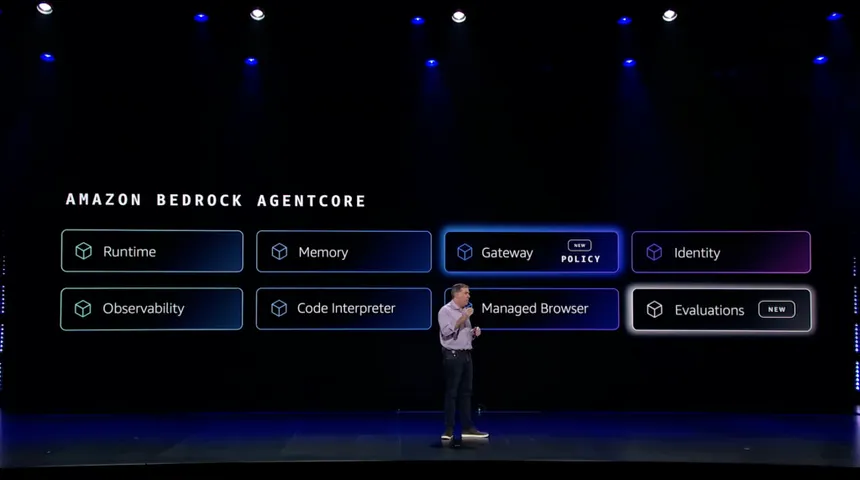
This is part one of a two part series on multi-agent systems with AgentCore.
AWS dropped AgentCore is the most exciting AWS AI tool to date. Not because it’s jam packed with features, but because it’s the first time we can build a production ready multi-agent application without having jerry-rig 10 different services together, collectively costing an arm, leg, and first born child.
So i’ve been keen to build something to demonstrate it’s true potential. Not a chatbot. Not a summariser. Something that actually solves a problem I’ve got.
Stack traces are the problem. I spend heaps of time copying errors into Google, scrolling through Stack Overflow, then forgetting what the fix was three weeks later. What if an agent could sort that for me?
Today I’m building a multi-agent error debugger. Paste in a stack trace, get back the root cause and a working fix. The system uses a Supervisor that orchestrates 4 specialist agents, each doing one thing well.
This isn’t a silver bullet though. Multi-agent systems add complexity. You need to understand when they’re the right tool and when they’re overkill.
All source code is on my GitHub.
Table of contents
- Table of contents
- Why Multiple Agents?
- Architecture
- AgentCore Runtime
- The Supervisor Pattern
- Gateway vs Runtime
- Building the Lambda Tools
- Building the LLM Agents
- Wiring It Together
- Frontend and API Proxy
- Deployment
- Conclusion
Why Multiple Agents?
Single-prompt LLM calls hit a ceiling fast. Ask an LLM without thinking to parse, analyse and fix an error in one-shot and you’ll get average results across the board. The model tries to do everything and does nothing particularly well.
I tested this. Threw a gnarly TypeScript error at Claude with a single prompt asking for “complete analysis and fix”. The response was vague. Generic suggestions like “check your types” and “ensure the value isn’t undefined”.
Cheers Claude, real helpful.
But modern AI systems don’t do that? They think, and will iterate and loop back on themselves until they solve every ask you have. This is called a multi-agent system.
Multi-agent system at work (cursor)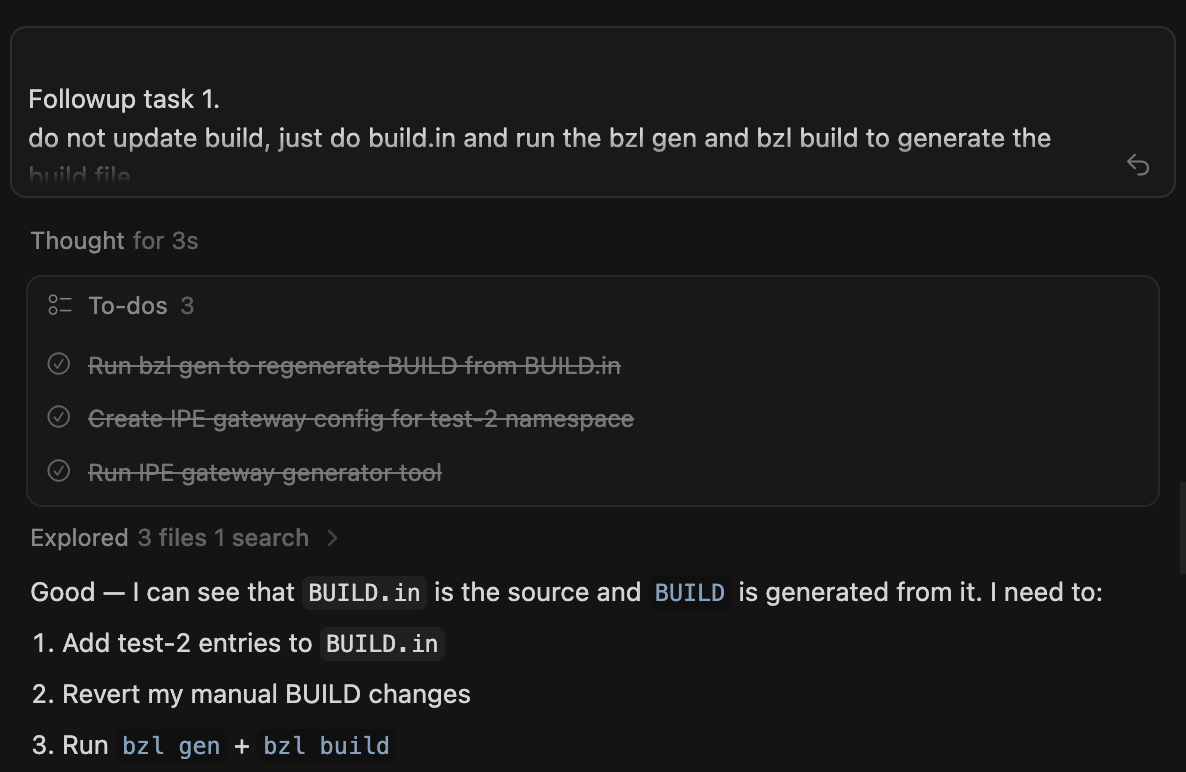
Multi-agent systems fix this by splitting the work. Each agent focuses on one job and does it properly.
| Agent | Job |
|---|---|
| Parser | Extract language, stack frames and error type |
| Security | Scan for secrets and PII |
| Root Cause | Figure out why the error happened |
| Fix | Generate code that actually solves it |
The Supervisor orchestrates these four. It decides what to call, when to call it and whether the results are good enough to return.
This mirrors how senior devs actually debug. You don’t just look at an error and immediately start coding a fix. You gather context first. What language? What framework? Where in the stack did it fail? Then you form a hypothesis. Test it. Refine if wrong. The multi-agent approach lets us encode this workflow into the system.
Architecture
Here’s what we’re building:
Architecture Diagram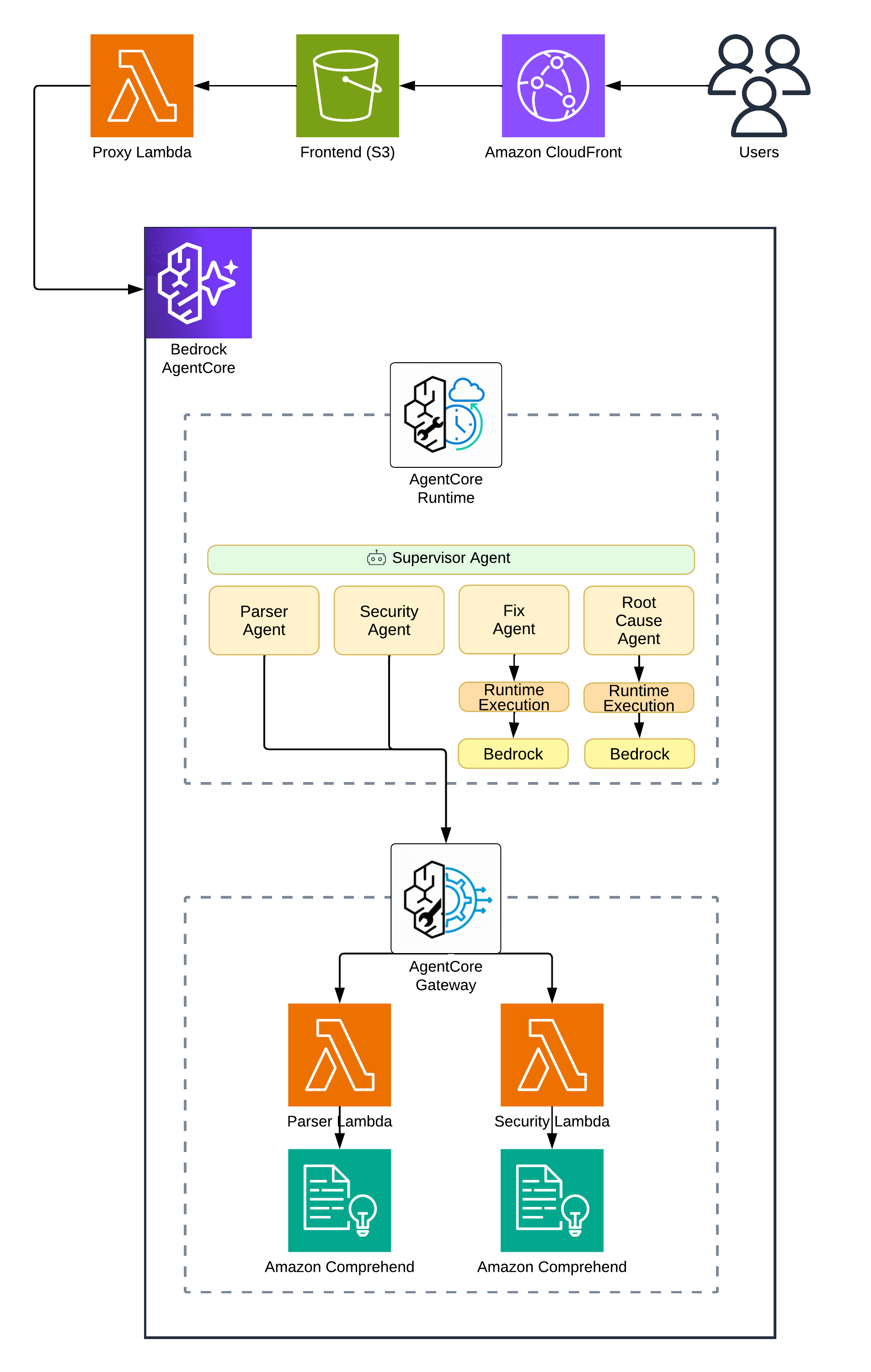
The request flow goes:
- Frontend sends error text to a Lambda Function URL
- Lambda proxy invokes AgentCore Runtime
- Runtime executes the Supervisor
- Supervisor calls Lambda tools via Gateway and LLM agents directly
- Results stream back to the frontend
Why Lambda Function URL instead of API Gateway? Timeout. API Gateway caps at 29 seconds. Error analysis can take two minutes easy. Lambda Function URLs give us 15 minutes. Sweet as.
Why a Lambda proxy at all? AWS APIs don’t support CORS. Browsers can’t call AgentCore directly. The proxy handles that for us.
AgentCore Runtime
The Runtime is where your agent code runs. Think of it as Lambda for agents. You give it a Docker image, it runs your code when invoked. But unlike Lambda, it’s built for long-running agent workflows.
AWS provides the Strands SDK for building agents. Here’s the bare minimum:
from strands import Agent

agent = Agent(
    system_prompt="You are a helpful assistant.",
    tools=[]
)

response = agent("What is 2 + 2?")
That’s it. The SDK handles the conversation loop, tool execution and streaming. You focus on the prompt and tools.
Deploying the Runtime needs a Docker image and some Terraform:
resource "aws_bedrockagentcore_agent_runtime" "main" {
  agent_runtime_name = replace("${local.resource_prefix}_runtime", "-", "_")
  description        = "Error Debugger - Multi-Agent AgentCore Runtime"
  role_arn           = aws_iam_role.agentcore_runtime.arn

  agent_runtime_artifact {
    container_configuration {
      container_uri = "${data.aws_ecr_repository.agent.repository_url}:${var.container_tag}"
    }
  }

  network_configuration {
    network_mode = "PUBLIC"
  }
}
Cold starts run about 10-15 seconds. Warm invocations are sub-second. That’s actually pretty reasonable for a system doing complex analysis. Not fast enough for a chat interface, but choice for debugging where you’re happy to wait a minute for a good answer.
The Supervisor Pattern
The Supervisor is the brain. It doesn’t do the work. It decides what work to do.
Most agent tutorials show linear pipelines. Call A, then B, then C, done. Real debugging doesn’t work that way. Sometimes you need more context. Sometimes your first guess is wrong.
I use a THINK → ACT → OBSERVE → REFLECT → DECIDE loop:
1. THINK: What do I know? What do I need?
2. ACT: Call a tool
3. OBSERVE: What came back? Useful?
4. REFLECT: Confident enough?
5. DECIDE: If ≥80% confident → output. Otherwise → loop back.
This is baked into the system prompt. The LLM learns to reason iteratively, not just execute a checklist.
Why 80%? Lower and you get rubbish. Higher and the system loops forever second-guessing itself. I tuned this through testing. 80% hits the sweet spot where results are good but the system doesn’t overthink.
AWS AgentCore Runtime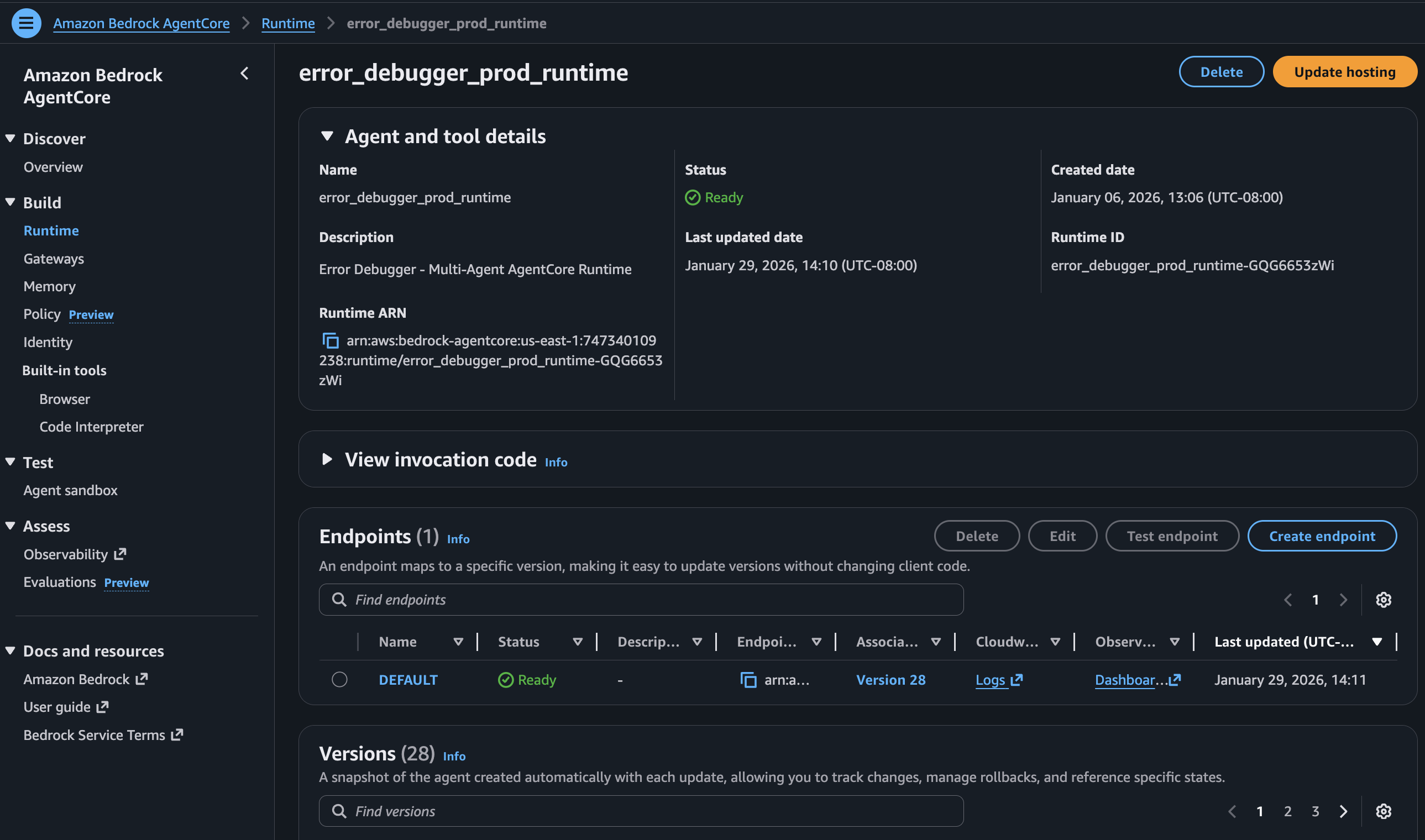
Gateway vs Runtime
This is the key architectural decision. AgentCore gives you two places for logic:
Gateway → Lambda functions exposed as MCP tools
Runtime → Code in your Docker container, including LLM calls
When to use Gateway (Lambda):
- Deterministic stuff (parsing, validation and API calls)
- Things that don’t need LLM reasoning
- Operations that should scale independently
When to use Runtime (LLM):
- Reasoning tasks
- Analysis that benefits from context
- When the “tool” is really another agent
Here’s the breakdown for my debugger:
| Agent | Where | Why |
|---|---|---|
| Parser | Lambda via Gateway | Regex + Comprehend. Deterministic. |
| Security | Lambda via Gateway | Pattern matching. Deterministic. |
| Root Cause | Runtime | Needs Claude reasoning |
| Fix | Runtime | Needs Claude code generation |
Cost matters here too. Lambda invocations are cheap. LLM calls are expensive. Moving the deterministic work to Lambda keeps costs down while reserving the expensive LLM capacity for tasks that actually need reasoning.
Building the Lambda Tools
Parser Tool
The Parser extracts structure from raw stack traces. Language, stack frames and error type. It uses regex patterns and AWS Comprehend for language detection.
def lambda_handler(event, context):
    error_text = event.get('error_text', '')

    # Detect programming language via patterns
    prog_language = detect_programming_language(error_text)

    # Extract stack frames
    stack_frames = extract_stack_frames(error_text, prog_language)

    return {
        'language': prog_language,
        'stack_frames': stack_frames,
        'core_message': extract_core_message(error_text)
    }
No LLM needed. Regex handles it reliably and cheaply.
The Gateway exposes this Lambda as an MCP tool. The tool_schema defines the input/output contract so AgentCore knows how to call it:
resource "aws_bedrockagentcore_gateway_target" "parser" {
  name               = "${local.resource_prefix}-parser"
  gateway_identifier = aws_bedrockagentcore_gateway.main.gateway_id

  target_configuration {
    mcp {
      lambda {
        lambda_arn = aws_lambda_function.parser.arn

        tool_schema {
          inline_payload {
            name        = "parse_error"
            description = "Parse error message and stack trace"

            input_schema {
              type = "object"
              property {
                name        = "error_text"
                type        = "string"
                description = "Raw error message and stack trace"
                required    = true
              }
            }
          }
        }
      }
    }
  }
}
AgentCore Gateway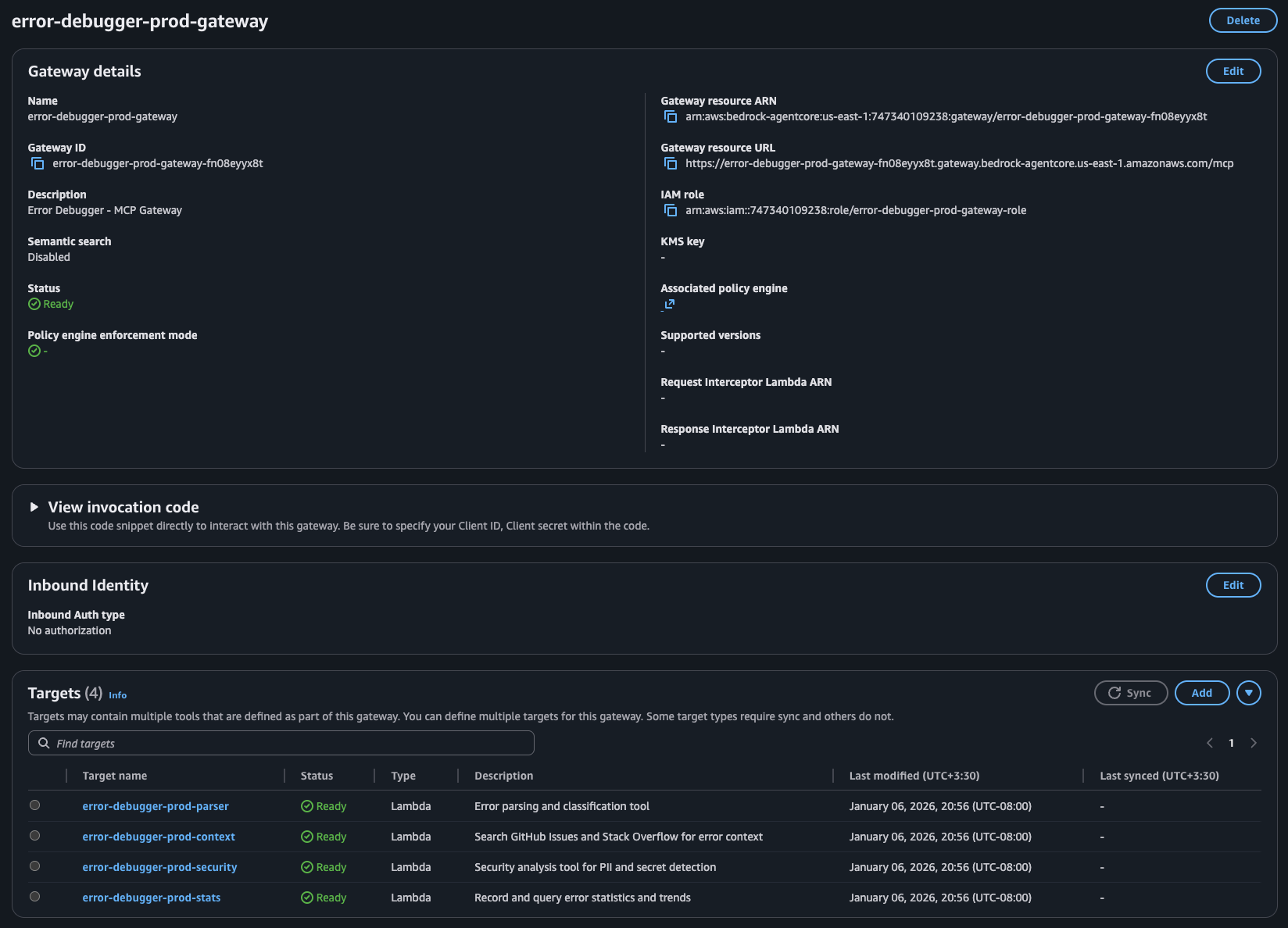
Security Tool
Before storing or processing anything, the Security tool scans for leaked credentials and PII:
SECRET_PATTERNS = {
    'aws_access_key': r'AKIA[0-9A-Z]{16}',
    'github_token': r'gh[ps]_[A-Za-z0-9]{36}',
    'api_key': r'(?i)(api[_-]?key)["\s]*[:=]["\s]*[A-Za-z0-9\-_]{20,}',
}

def lambda_handler(event, context):
    error_text = event.get('error_text', '')

    secrets_found = []
    for secret_type, pattern in SECRET_PATTERNS.items():
        if re.findall(pattern, error_text):
            secrets_found.append(secret_type)

    # Also use Comprehend for PII
    pii_response = comprehend.detect_pii_entities(
        Text=error_text[:5000],
        LanguageCode='en'
    )

    return {
        'risk_level': calculate_risk(secrets_found, pii_response),
        'secrets_found': secrets_found,
        'safe_to_store': len(secrets_found) == 0
    }
Again, deterministic. Pattern matching and Comprehend. It’s fast, it’s cheap and it works.
You might wonder why not just let the LLM detect secrets. Two reasons. First, LLMs hallucinate. Pattern matching doesn’t. Second, this runs on every request BEFORE we even think about storing anything. Speed matters here.
Building the LLM Agents
Now for the interesting bit.
Root Cause Agent
The Root Cause agent takes parsed info and determines why the error happened. This needs LLM reasoning. No way around it.
Each specialist agent lives in its own module with its own Strands Agent instance and tools. The Root Cause agent has two tools: reason_about_error (the LLM call to Bedrock Claude) and check_known_solutions (a fast lookup for well-known patterns).
# rootcause_agent.py
ROOTCAUSE_AGENT_PROMPT = """You are the Root Cause Analysis Brain.
You THINK about errors using intelligence, not just pattern matching.

1. First, check_known_solutions for a quick answer
2. Always use reason_about_error to deeply analyze the error
3. Be SPECIFIC: "user.profile is undefined because the API returns null
   for deleted users" not just "null pointer"
"""

rootcause_agent = Agent(
    system_prompt=ROOTCAUSE_AGENT_PROMPT,
    tools=[reason_about_error, check_known_solutions],
)
The Supervisor doesn’t call this agent directly. Instead, it uses a wrapper @tool that routes to the module’s analyze() function:
# supervisor.py
@tool
def rootcause_agent_tool(
    error_text: str,
    parsed_info: str = "{}",
    external_context: str = "{}",
    memory_context: str = "{}"
) -> str:
    """Route root cause analysis to the RootCause Agent."""
    parsed = json.loads(parsed_info)
    external = json.loads(external_context)
    memory = json.loads(memory_context)

    result = rootcause_agent.analyze(
        error_text=error_text,
        parsed_info=parsed,
        external_context=external,
        memory_context=memory
    )
    return json.dumps(result)
This runs inside the Runtime. The agent considers context and patterns and produces explanations a regex never could.
Fix Agent
The Fix agent generates actual code solutions based on the root cause:
Same pattern as Root Cause. The Fix agent module has its own Agent with tools for code generation (generate_code_fix), syntax validation (validate_syntax), prevention suggestions and test case generation:
# fix_agent.py
FIX_AGENT_PROMPT = """You are an Expert Code Fix Specialist.
Generate PRECISE, WORKING code fixes that directly address the root cause.

The fix MUST match the actual error. A connection error needs connection
handling, not null checks. Don't give generic advice. Give working code.
"""

fix_agent = Agent(
    system_prompt=FIX_AGENT_PROMPT,
    tools=[generate_code_fix, validate_syntax, suggest_prevention, generate_test_case],
)
The Supervisor wrapper passes all accumulated context:
# supervisor.py
@tool
def fix_agent_tool(
    error_text: str,
    root_cause: str,
    language: str = "unknown",
    stack_frames: str = "[]",
    external_solutions: str = "{}"
) -> str:
    """Route fix generation to the Fix Agent."""
    frames = json.loads(stack_frames)
    solutions = json.loads(external_solutions)

    result = fix_agent.generate(
        error_text=error_text,
        root_cause=root_cause,
        language=language,
        context={"stack_frames": frames, "external_solutions": solutions}
    )
    return json.dumps(result)
The prompt engineering matters heaps here. “Don’t give generic advice” stops Claude from falling back to useless suggestions. Separating generation and validation into different tools means the agent can self-correct if its first attempt has syntax errors.
Wiring It Together
The Supervisor ties everything together. It’s an Agent with access to all 4 tools:
supervisor = Agent(
    system_prompt=get_supervisor_prompt(),
    tools=build_tools_list(),
    callback_handler=event_loop_tracker
)
build_tools_list() returns the four specialist tools plus some internal context/reasoning tools. get_supervisor_prompt() returns the system prompt which teaches the iterative reasoning loop. Parse first. Check security. Analyse root cause. Generate fix. Only output when confidence hits 80%. The callback_handler tracks tool invocations for observability.
Error Debugger App - Prompt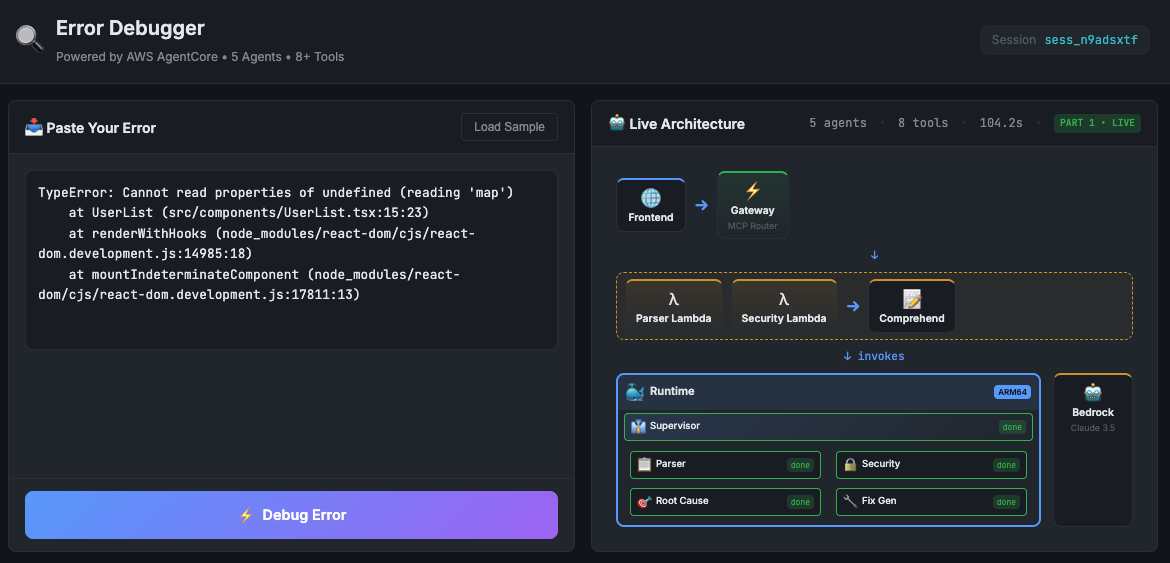
Frontend and API Proxy
The frontend is dead simple. A textarea for the error, a button to analyse and sections to display results.
The Lambda proxy handles the AgentCore invocation:
def handler(event, context):
    error_text = request.get('error_text', '')

    response = agentcore_client.invoke_agent_runtime(
        agentRuntimeArn=AGENT_RUNTIME_ARN,
        payload=json.dumps({'prompt': error_text}).encode('utf-8'),
        runtimeSessionId=f"session-{uuid.uuid4().hex}",
    )

    # Process streaming response, extract structured data
    return process_response(response)
The proxy collects streaming events, extracts the structured results from each agent and returns clean JSON to the frontend. Sorted.
Error Debugger App - Results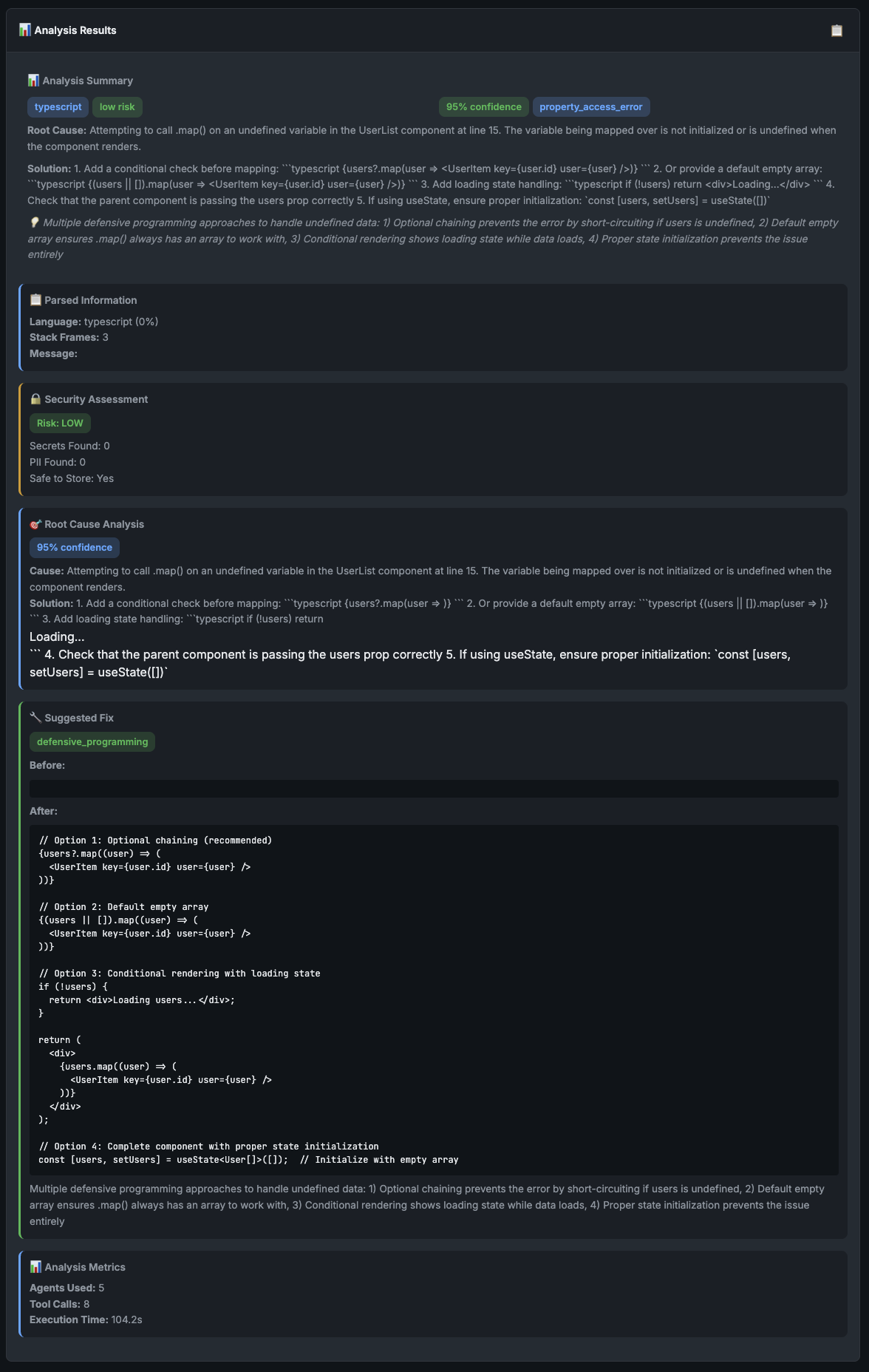
Deployment
Everything deploys via GitHub Actions with Terraform:
- name: Terraform Apply
  run: |
    cd terraform/agentcore
    terraform init
    terraform apply -auto-approve \
      -var="container_tag=${{ github.sha }}"
The container_tag ensures each deploy creates a new Runtime version. AgentCore won’t pick up changes to a latest tag automatically. Learned that one the hard way.
CICD: GitHub Actions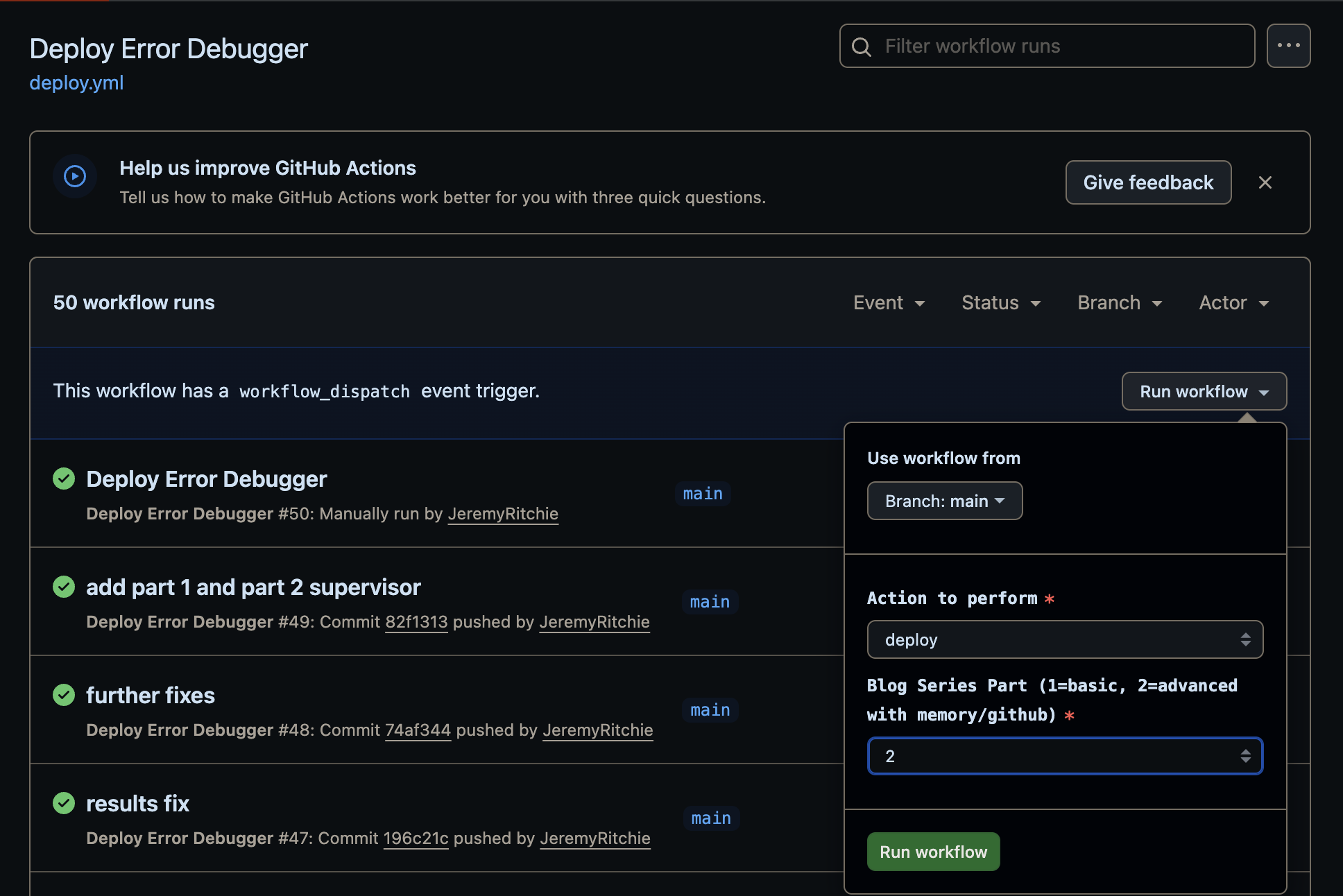
Conclusion
AgentCore finally gives us a production-ready way to build multi-agent systems on AWS without duct-taping half a dozen services together. Runtime runs your agents. Gateway routes your tools. You write the logic.
The biggest lesson from this build? Keep each agent focused on one job and let the Supervisor worry about coordination. Shove the deterministic stuff into Lambda where it’s cheap and reliable, save the LLM calls for when you actually need reasoning. And don’t build a pipeline — build a loop. Real debugging doesn’t go in a straight line, and neither should your agents.
Oh, and if your frontend needs to talk to AgentCore, you’re going to need a proxy. Lambda Function URLs are your mate here — no 29 second timeout, no CORS headaches.
In Part 2, we’ll add Memory so the system learns from past errors, pull in external context from GitHub and Stack Overflow and track stats. The goal is a debugger that gets smarter the more you use it.
Full source code: github.com/JeremyRitchie/agentcore-error-debugger